 Ember Alert
Fire management that works where the signal doesn't
Ember Alert keeps incidents, crews and equipment at your fingertips in the field — fully offline. Log incidents, assign volunteers and capture photos with no reception; everything syncs the moment you're back in range.
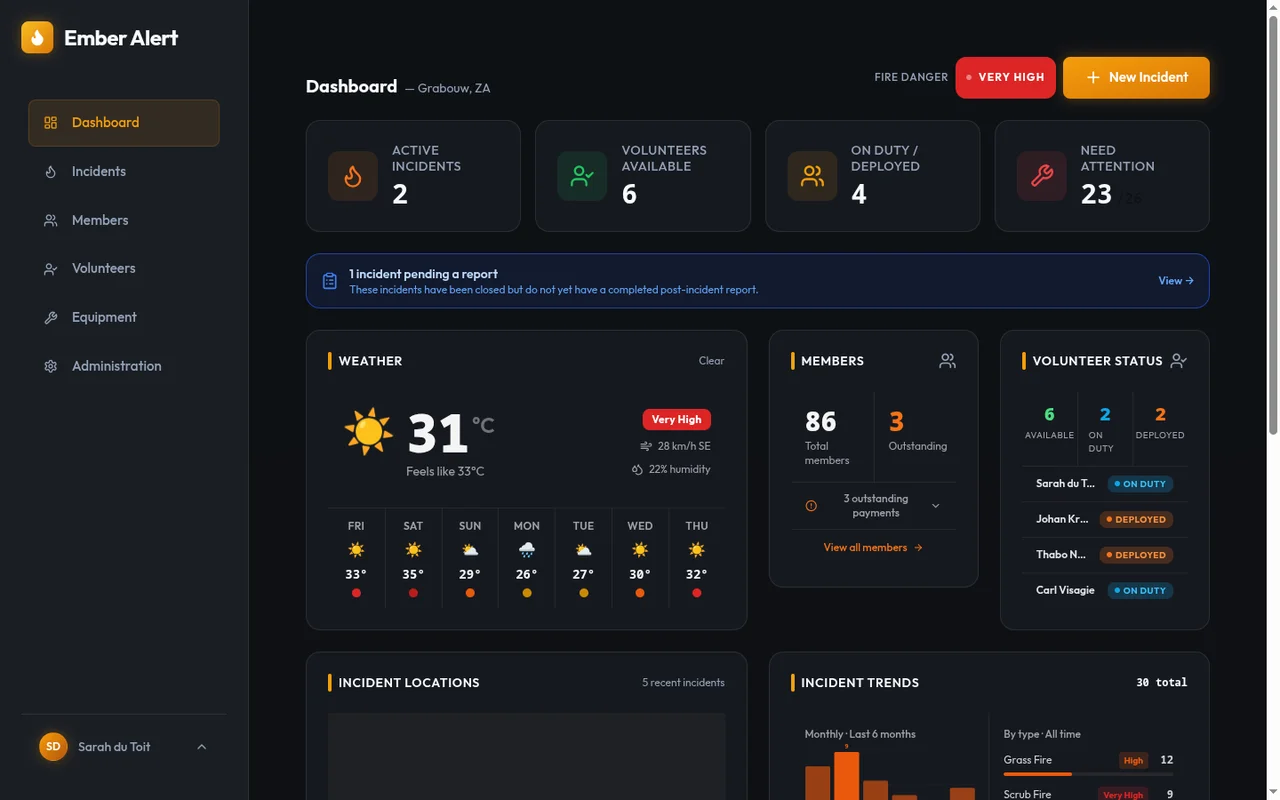
Everything an FMU runs on, in one place
Replace the radio logbook, the spreadsheet and the WhatsApp group.
Offline-first, by design
The whole app — incidents, members, equipment, photos — lives on your phone. No reception needed on the fireline; changes sync automatically when connectivity returns.
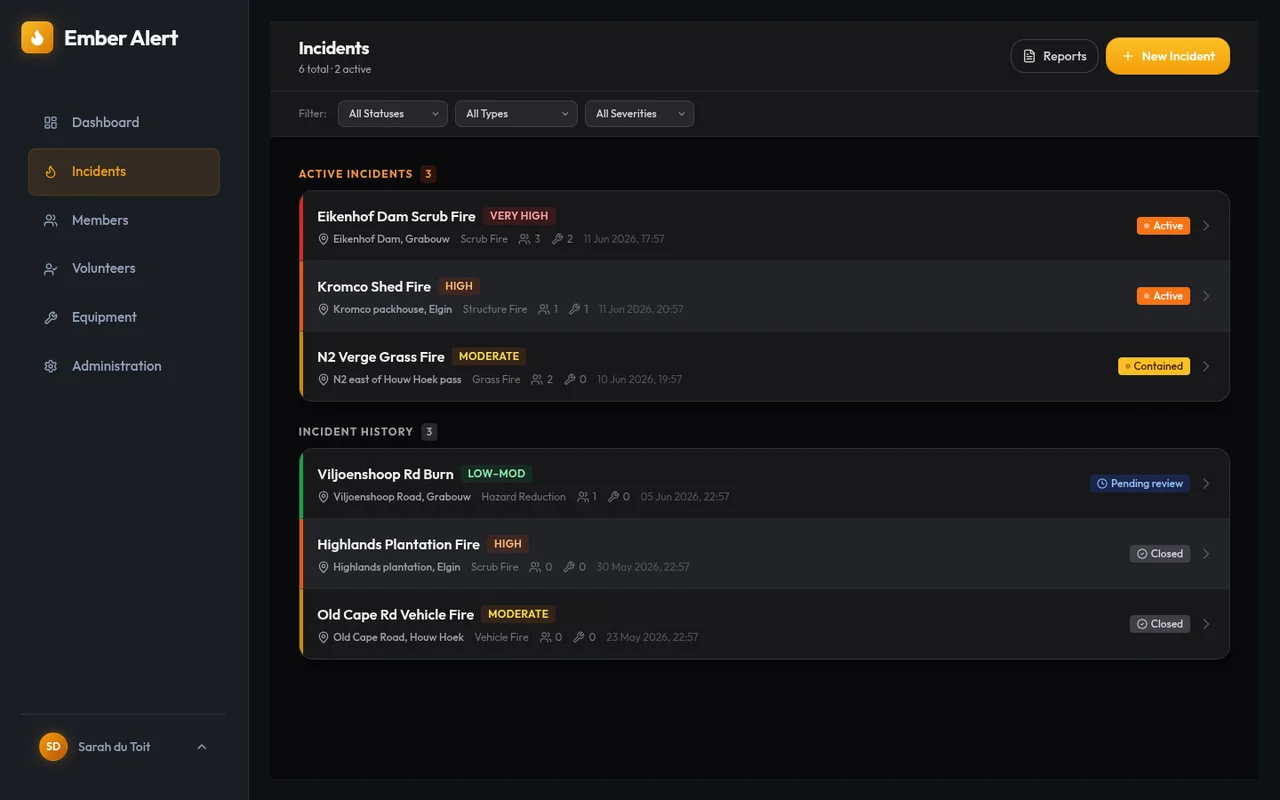
Incident command & log
Report incidents with severity, GPS location and live weather snapshot. Keep a timestamped event log with photos as the operation unfolds.
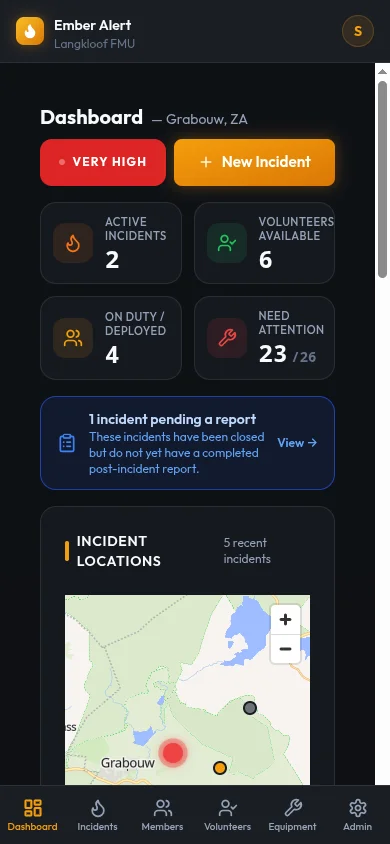
Live incident map
Every incident pinned on a map of your area, colour-coded by status — see your whole operational picture at a glance.
Fire danger index
McArthur FFDI calculated from live local weather and recent rainfall, with a 7-day fire danger forecast for planning burns and standby crews.
Members, volunteers & equipment
Track membership and subscriptions, volunteer availability and qualifications, plus every bakkie, pump and skid unit — with maintenance schedules.
Formal incident reports
Compile structured post-incident reports — resources deployed, third parties, outcomes, sign-off — and export clean A4 PDFs for insurers and authorities.
How it works
Get your FMU on board
Contact us and we set up your unit with its own private workspace and invite your first administrator.
Your team gets its own address
Your FMU lives at yourfmu.emberalert.co.za — private to your unit, with role-based access for admins, management and volunteers.
Install and head out
Add it to your home screen like any app. From then on it works anywhere — koppies, kloofs and dead zones included.
Already using Ember Alert?
Enter your FMU code to go to your unit's sign-in page.
That doesn't look like a valid FMU code — lowercase letters, numbers and dashes only.
Your FMU code is the first part of your unit's address: code.emberalert.co.za. Ask your FMU administrator if you're not sure.
Ready to bring your FMU online?
Contact us for pricing — we'll tailor it to the size of your unit.